 Make Money With AI · YouTube
The Game Feel
Cookbook
20 tiny tricks that make any game feel amazing — what each one does, why players feel it, the exact starting values, and short Godot 4 code you can paste today.
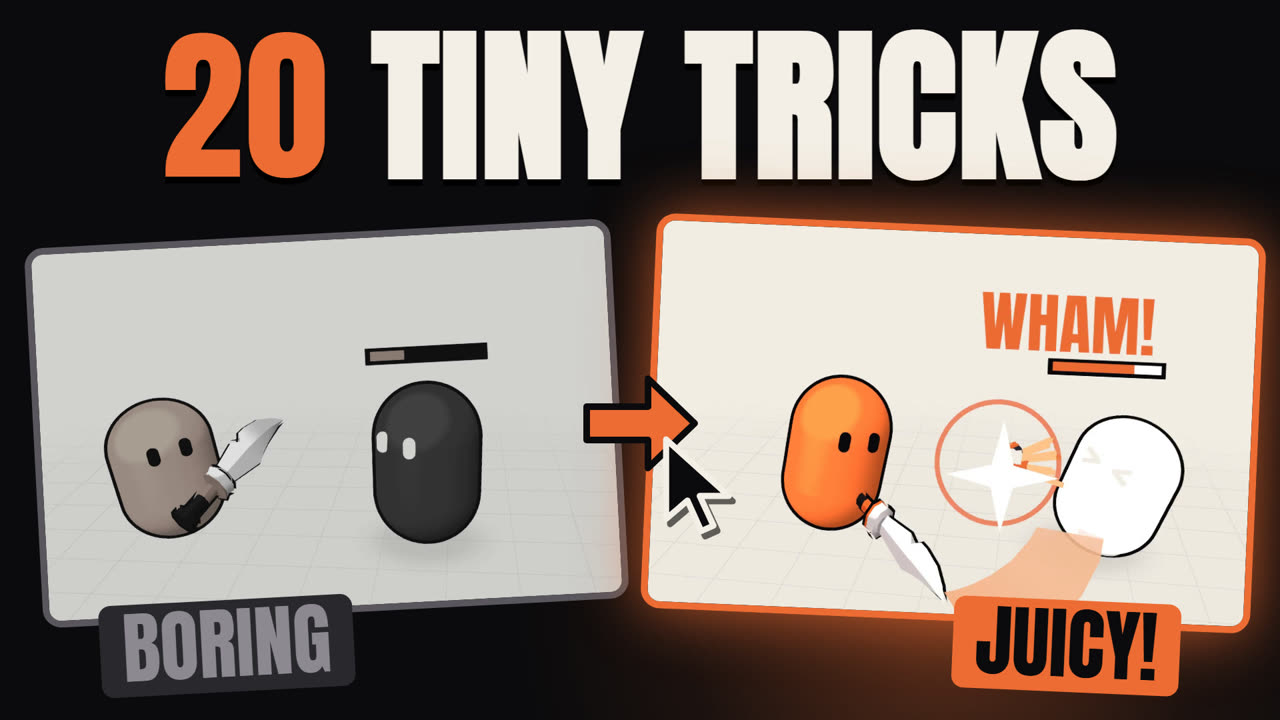 ▶ Watch the full video · all 20 tricks in depth
Chapter 1 · comment PUNCH on the Short
Make hits punchy
A hit that only removes HP feels like nothing. These five layers all fire on the same impact frame — together they sell the weight of the blow.
▶ Watch the PUNCH ShortSTEP 1
Flash
Turn the enemy pure white for a couple of frames on impact.
Why it works — The eye catches the contrast instantly: the player knows the hit landed before reading any number.
- Duration: 50–80 ms (3–5 frames at 60 fps)
- Flash = 100 % white, no fade-in
- Make the material local to scene, or every enemy flashes at once
GDScript · Godot 4
# hit_flash.gdshader
shader_type canvas_item;
uniform float flash : hint_range(0.0, 1.0) = 0.0;
void fragment() {
	COLOR.rgb = mix(COLOR.rgb, vec3(1.0), flash);
}

# enemy.gd
@onready var sprite: Sprite2D = $Sprite2D

func flash() -> void:
	var mat := sprite.material as ShaderMaterial
	mat.set_shader_parameter("flash", 1.0)
	await get_tree().create_timer(0.06).timeout
	mat.set_shader_parameter("flash", 0.0)
STEP 2
Sound
A short, sharp impact sound played on the exact frame of contact.
Why it works — Audio sells weight more than visuals. A sound late by even 50 ms makes the hit feel mushy.
- Attack ≤ 5 ms, total length 80–200 ms
- Random pitch 0.9–1.1 so 10 hits in a row never sound robotic
- Layer a low thump + a high crack
GDScript · Godot 4
@onready var hit_sfx: AudioStreamPlayer2D = $HitSfx

func play_hit_sound() -> void:
	hit_sfx.pitch_scale = randf_range(0.9, 1.1)
	hit_sfx.play()
STEP 3
Particles
A burst of sparks thrown in the direction of the hit.
Why it works — Directional debris tells the brain where the force went — the hit gets a vector, not just a flash.
- 8–16 particles, one_shot, explosiveness 1.0
- Spread 20–30°, lifetime 0.2–0.35 s
- Initial velocity 250–450 px/s with damping
GDScript · Godot 4
const SPARKS := preload("res://fx/sparks.tscn") # CPUParticles2D, one_shot

func spawn_sparks(pos: Vector2, hit_dir: Vector2) -> void:
	var p := SPARKS.instantiate() as CPUParticles2D
	p.global_position = pos
	p.rotation = hit_dir.angle() # particles emit along +X
	get_tree().current_scene.add_child(p)
	p.emitting = true
	p.finished.connect(p.queue_free)
STEP 4
Knockback
Push the enemy away from the hit, and nudge the attacker back a little.
Why it works — Movement is proof of force. The small recoil on the player makes it feel like two bodies actually collided.
- Enemy: 350–500 px/s, decays to 0 in ~0.15 s
- Player recoil: 20–30 % of the enemy's knockback
- Bigger weapon = bigger knockback, not more damage numbers
GDScript · Godot 4
# enemy.gd (CharacterBody2D)
var walk_velocity := Vector2.ZERO
var knockback := Vector2.ZERO

func take_hit(hit_dir: Vector2) -> void:
	knockback = hit_dir.normalized() * 450.0

func _physics_process(delta: float) -> void:
	knockback = knockback.move_toward(Vector2.ZERO, 3000.0 * delta)
	velocity = walk_velocity + knockback
	move_and_slide()
STEP 5
Shake + freeze
Freeze the whole game for a few frames on impact, then a tiny screen shake.
Why it works — The freeze (hit stop) gives the brain time to register the contact; the shake carries the energy outward.
- Hit stop: 40–90 ms (light hit 40, heavy 90)
- Shake: 6–12 px, gone in 0.2–0.3 s
- Trauma²-based shake so small hits stay subtle
GDScript · Godot 4
# Hit stop: the timer ignores time_scale (4th arg)
func hit_stop(duration := 0.06) -> void:
	Engine.time_scale = 0.0
	await get_tree().create_timer(duration, true, false, true).timeout
	Engine.time_scale = 1.0

# camera_shake.gd (on the Camera2D)
extends Camera2D
var trauma := 0.0

func add_trauma(amount: float) -> void:
	trauma = minf(trauma + amount, 1.0)

func _process(delta: float) -> void:
	trauma = maxf(trauma - 3.0 * delta, 0.0)
	var s := trauma * trauma
offset = Vector2(randf_range(-1.0, 1.0), randf_range(-1.0, 1.0)) * 10.0 * sChapter 2 · comment JUMP on the Short
Make jumps feel good
Most "floaty" jumps are not a physics problem, they are a forgiveness problem. Four of these five tricks are invisible — players only notice when they are missing.
▶ Watch the JUMP ShortSTEP 1
Coyote time
Let the player still jump for a few frames after walking off a ledge.
Why it works — Players press jump when they see the edge, a little late. Without it, the game eats inputs and feels unfair.
- 0.08–0.12 s (5–7 frames at 60 fps)
- Only after walking off, never after a jump
- Reset to 0 the moment you jump
GDScript · Godot 4
const COYOTE_TIME := 0.10
var coyote_timer := 0.0

func _physics_process(delta: float) -> void:
	if is_on_floor():
		coyote_timer = COYOTE_TIME
	else:
		coyote_timer -= delta
	# can_jump: coyote_timer > 0.0  (set it to 0.0 when jumping)
STEP 2
Jump buffer
Remember a jump press made just before landing, and jump on the landing frame.
Why it works — The player's timing was right in their head. Honoring it makes controls feel responsive instead of picky.
- Buffer window: 0.10–0.15 s
- Works with coyote time: jump if buffer > 0 and coyote > 0
- Clear both timers once the jump fires
GDScript · Godot 4
const JUMP_BUFFER := 0.12
const JUMP_VELOCITY := -420.0
var buffer_timer := 0.0

func handle_jump(delta: float) -> void:
	if Input.is_action_just_pressed("jump"):
		buffer_timer = JUMP_BUFFER
	else:
		buffer_timer -= delta
	if buffer_timer > 0.0 and coyote_timer > 0.0:
		velocity.y = JUMP_VELOCITY
		buffer_timer = 0.0
		coyote_timer = 0.0
STEP 3
Hold to jump higher
Tap for a small hop, hold for a full jump.
Why it works — The player gets analog control from a digital button — precision without extra inputs.
- Cut upward velocity by 50 % on release
- Only cut while still going up (velocity.y < 0)
- Min hop ≈ 35–45 % of max height
GDScript · Godot 4
func _unhandled_input(event: InputEvent) -> void:
	if event.is_action_released("jump") and velocity.y < 0.0:
		velocity.y *= 0.5
STEP 4
Fall faster
Use stronger gravity on the way down than on the way up.
Why it works — A symmetric parabola reads as floaty. A fast fall feels snappy and gives the player control back sooner.
- Fall gravity ×1.8–2.5 (×2 is a safe start)
- Cap fall speed: 800–1000 px/s
- Rise gravity ~1200 px/s² for a 420 px/s jump
GDScript · Godot 4
const GRAVITY := 1200.0
const FALL_MULT := 2.0
const MAX_FALL := 900.0

func apply_gravity(delta: float) -> void:
	var g: float = GRAVITY * (FALL_MULT if velocity.y > 0.0 else 1.0)
	velocity.y = minf(velocity.y + g * delta, MAX_FALL)
STEP 5
Squash + stretch
Stretch the sprite on takeoff, squash it on landing, puff out some dust.
Why it works — It makes a rigid sprite look like it has mass and muscles — the jump has a wind-up and an impact.
- Takeoff: scale (0.8, 1.2)
- Landing: scale (1.25, 0.8)
- Spring back to (1, 1) in 0.10–0.15 s, TRANS_BACK ease out
GDScript · Godot 4
@onready var visual: Node2D = $Visual # scale the visual, never the body
@onready var dust: CPUParticles2D = $Dust
var was_on_floor := true

func squash(s: Vector2) -> void:
	visual.scale = s
	create_tween().tween_property(visual, "scale", Vector2.ONE, 0.12) \
		.set_trans(Tween.TRANS_BACK).set_ease(Tween.EASE_OUT)

# after move_and_slide():
func check_landing() -> void:
	if is_on_floor() and not was_on_floor:
		squash(Vector2(1.25, 0.8))
		dust.restart()
	was_on_floor = is_on_floor()
# on jump: squash(Vector2(0.8, 1.2))Chapter 3 · comment COIN on the Short
Make coin pickups feel good
Pickups are the reward loop of your game. Make every single coin a tiny celebration and players will chase them without being told to.
▶ Watch the COIN ShortSTEP 1
Spin + bob
Every coin turns and floats so it begs to be grabbed.
Why it works — Motion catches peripheral vision: idle coins become a trail of breadcrumbs that guides the player.
- Bob: 4–6 px, period ~1.2 s
- Spin: ~1 turn per second
- Random phase per coin, or they all move in lockstep
GDScript · Godot 4
extends Area2D
@onready var sprite: Sprite2D = $Sprite2D
var t := randf() * TAU # random phase
var base_y := 0.0

func _ready() -> void:
	base_y = sprite.position.y

func _process(delta: float) -> void:
	t += delta
	sprite.position.y = base_y + sin(t * 5.2) * 5.0
	sprite.scale.x = cos(t * TAU) # fake 3D spin
STEP 2
Magnet
Pull coins toward the player once they get close.
Why it works — Near-misses still pay out. The player feels lucky and powerful instead of frustrated.
- Radius: 60–100 px (upgradeable = free progression)
- Accelerate, don't teleport: 1800 px/s², max 600 px/s
- Once pulled, never let go
GDScript · Godot 4
var player: Node2D
var vel := Vector2.ZERO
var pulled := false

func _physics_process(delta: float) -> void:
	if not pulled and global_position.distance_to(player.global_position) < 80.0:
		pulled = true
	if pulled:
		var dir := global_position.direction_to(player.global_position)
		vel = vel.move_toward(dir * 600.0, 1800.0 * delta)
		global_position += vel * delta
STEP 3
Pop + sparkle
Squash the coin up, then burst it into tiny stars.
Why it works — A coin that just disappears feels deleted. A pop gives the pickup an ending the eye can enjoy.
- Scale to 1.4 in 60 ms, then to 0 in 100 ms
- 6–12 star particles, lifetime 0.3 s
- Disable the collision on the first frame
GDScript · Godot 4
func collect() -> void:
	$CollisionShape2D.set_deferred("disabled", true)
	$Sparkles.emitting = true # CPUParticles2D, one_shot
	var tw := create_tween()
	tw.tween_property(sprite, "scale", Vector2(1.4, 1.4), 0.06)
	tw.tween_property(sprite, "scale", Vector2.ZERO, 0.10)
	await get_tree().create_timer(0.4).timeout # let the sparkles finish
	queue_free()
STEP 4
Rising pitch
Each coin in a quick row plays a slightly higher note.
Why it works — The rising scale turns a line of coins into a little melody — the brain wants to finish it.
- +1 semitone per coin: pitch = 2^(n/12)
- Combo resets after 0.6–0.8 s without a coin
- Cap at +12 (one octave), then loop
GDScript · Godot 4
# On the player (or an autoload): one shared counter
@onready var coin_sfx: AudioStreamPlayer = $CoinSfx
var combo := 0
var last_pickup := -10.0

func play_coin_sound() -> void:
	var now := Time.get_ticks_msec() / 1000.0
	combo = combo + 1 if now - last_pickup < 0.7 else 0
	last_pickup = now
	coin_sfx.pitch_scale = pow(2.0, float(combo % 13) / 12.0)
	coin_sfx.play()
STEP 5
Fly to the counter
Send each coin icon to the score, and make the number bounce when it lands.
Why it works — It connects the action to the progress. The player sees their wealth grow instead of reading it.
- Flight: 0.35–0.5 s, ease-in (accelerates into the counter)
- Counter punch: scale 1.3 → 1.0 in 0.15 s
- Add the value when the coin arrives, not when picked
GDScript · Godot 4
# hud.gd (CanvasLayer)
@onready var counter: Label = $Counter
const ICON := preload("res://ui/coin_icon.tscn")
var coins := 0

func fly_coin(screen_pos: Vector2) -> void:
	var icon := ICON.instantiate() as Control
	add_child(icon)
	icon.position = screen_pos
	var tw := create_tween()
	tw.tween_property(icon, "position", counter.position, 0.4) \
		.set_trans(Tween.TRANS_QUAD).set_ease(Tween.EASE_IN)
	tw.tween_callback(func():
		icon.queue_free()
		coins += 1
		counter.text = str(coins)
		counter.pivot_offset = counter.size / 2.0
		counter.scale = Vector2(1.3, 1.3)
		create_tween().tween_property(counter, "scale", Vector2.ONE, 0.15))
# screen_pos = coin.get_global_transform_with_canvas().originChapter 4 · comment DASH on the Short
Make dashes feel good
A dash is a burst of speed that lasts a fraction of a second. Everything here exists to make that fraction feel explosive — and readable.
▶ Watch the DASH ShortSTEP 1
Anticipation
Squash the player for a few frames, then stretch into the dash.
Why it works — The wind-up loads the spring: the brain expects the release, so the burst feels stronger.
- Squash: 3–4 frames (≈ 50 ms) at (1.2, 0.8)
- Stretch along the dash: (1.35, 0.75)
- Keep it under 80 ms or the dash feels laggy
GDScript · Godot 4
func start_dash(dir: Vector2) -> void:
	visual.scale = Vector2(1.2, 0.8)
	await get_tree().create_timer(0.05).timeout
	visual.rotation = dir.angle()
	visual.scale = Vector2(1.35, 0.75)
	create_tween().tween_property(visual, "scale", Vector2.ONE, 0.2)
	dashing = true
	dash_dir = dir
	dash_time = DASH_DURATION
STEP 2
Afterimages
Leave a trail of fading ghost copies behind the player.
Why it works — Ghosts draw the path you just took — speed becomes visible even in a still frame.
- One ghost every 25–35 ms during the dash
- Start alpha 0.5–0.6, fade to 0 in 0.2 s
- Tint ghosts with an accent color
GDScript · Godot 4
func spawn_ghost() -> void:
	var g := Sprite2D.new()
	g.texture = sprite.texture
	get_tree().current_scene.add_child(g)
	g.global_transform = sprite.global_transform
	g.modulate = Color(0.93, 0.42, 0.2, 0.55) # accent tint
	var tw := g.create_tween()
	tw.tween_property(g, "modulate:a", 0.0, 0.2)
	tw.tween_callback(g.queue_free)
# while dashing: call it from a Timer with wait_time = 0.03
STEP 3
Speed lines + FOV kick
Add streaks and widen the camera for a split second.
Why it works — Widening the field of view mimics the tunnel vision of real speed — the world rushes past.
- 3D: FOV +12–18° (75 → 90), back in 0.25 s
- 2D: zoom ×0.92, back in 0.25 s
- Streak particles opposite to the dash direction
GDScript · Godot 4
@onready var cam: Camera3D = $Camera3D
const BASE_FOV := 75.0

func fov_kick() -> void:
	cam.fov = BASE_FOV + 15.0
	create_tween().tween_property(cam, "fov", BASE_FOV, 0.25) \
		.set_trans(Tween.TRANS_CUBIC).set_ease(Tween.EASE_OUT)
STEP 4
Hit stop
If the dash hits something, freeze on impact, then shake.
Why it works — The freeze punctuates the end of the motion — the dash gets a full stop instead of a blur.
- 40–70 ms freeze
- Shake 8 px for 0.2 s
- Same hit_stop() as the PUNCH chapter — reuse it
GDScript · Godot 4
func _on_dash_hit(body: Node) -> void:
	if body.has_method("take_hit"):
		body.take_hit(dash_dir)
	await hit_stop(0.05) # see PUNCH › Shake + freeze
	camera.add_trauma(0.5)
STEP 5
Dust + recovery
Puff out dust at the end and skid to a stop instead of halting instantly.
Why it works — An instant stop feels like hitting a wall. A short skid shows momentum being absorbed.
- Dash: 0.12–0.18 s at 800–1000 px/s
- Skid: decelerate to walk speed over ~0.12 s
- Dust burst of 6–10 puffs at the feet
GDScript · Godot 4
const DASH_SPEED := 900.0
const DASH_DURATION := 0.15
const SKID_DECEL := 6000.0

func _physics_process(delta: float) -> void:
	if dashing:
		dash_time -= delta
		velocity = dash_dir * DASH_SPEED
		if dash_time <= 0.0:
			dashing = false
			dust.restart()
	else:
		velocity.x = move_toward(velocity.x, input_x * WALK_SPEED, SKID_DECEL * delta)
	move_and_slide()
The checklist
Print it, stick it next to your screen, tick every box before you ship.
PUNCH
- White flash 50–80 ms on impact
- Impact sound on the contact frame, pitch 0.9–1.1
- Directional sparks (8–16, spread 25°)
- Knockback 350–500 px/s + small player recoil
- Hit stop 40–90 ms, then trauma-based shake
JUMP
- Coyote time 0.10 s
- Jump buffer 0.12 s
- Release = velocity.y × 0.5
- Fall gravity ×2, max fall speed capped
- Stretch on takeoff, squash on landing, dust
COIN
- Spin + bob with random phase
- Magnet radius 60–100 px, accelerating pull
- Pop to 1.4× then burst into sparkles
- +1 semitone per coin in a row (2^(n/12))
- Fly to the counter + counter bounce
DASH
- Anticipation squash ≤ 80 ms, stretch along the dash
- Afterimages every 30 ms, fade in 0.2 s
- FOV kick +15° (or zoom 0.92) and speed lines
- Hit stop + shake on contact
- Skid to a stop + dust instead of a hard stop
Made by Make Money With AI — the game scenes in these clips were coded by Claude. Code snippets: MIT, use them in anything.